
Classroom
Explore setting up one class and giving each learner a way to answer, practise and get feedback.

Classroom scene recreated with AI
For English schools and academies
Prepare a lesson, give every learner a turn, and see what they need next. Woodland brings teaching, practice and progress into one connected Hub.
The teaching workflow
Start with the material you already teach. See how it becomes a classroom activity, practice at home, and a clearer next step for each learner.
Lesson Blocks
Keep the vocabulary, sentences, grammar and questions for a lesson together. Reuse them in activities, homework, exams and Smart Courses.
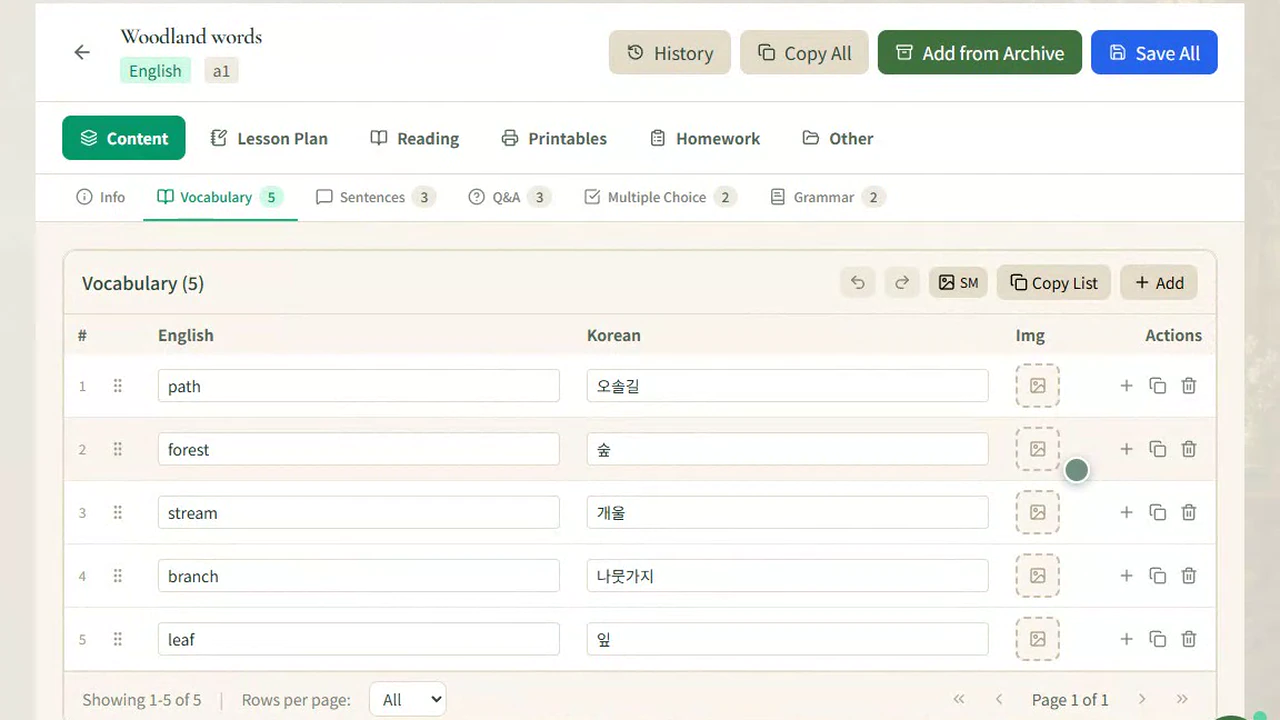
Inside the Hub
Bring a question to life in class, send it home for practice, and see the results together after the lesson.
The film library
See a complete lesson or jump straight into the tool you want to understand. Films are available in English and Korean.
Pricing
Pricing is being finalized. Choose the setup that fits your teaching, then try the checkout and first steps with sample details.
Explore setting up one class and giving each learner a way to answer, practise and get feedback.
See how an academy can organize lesson materials and support teachers working across more than one class.
Walk through a school setup and see how staff and learners join the Hub through invitations.
The walkthrough uses sample prices and a sample workspace. It takes no payment details.
Before you start
Some Multiroom activities work from the shared classroom screen. In connected activities, learners join in their own browser and send individual answers to the teacher.
In supported Study activities, students can work through the question again. Teachers can use first-attempt results alongside completion to choose what to revisit.
School owners join by invitation. School staff can then create enrolment links for learners. If you already have access, open the Hub to sign in.
Choose a setup, review a sample total, simulate the payment, and walk through your first activities in a sample school workspace.